
Keep your SEO plugin and add the AI visibility WordPress plugin controls it doesn't cover
IndexMesh for WordPress is a free AI visibility WordPress plugin built for WordPress site owners who already run an SEO plugin and don't want to replace it. It covers three things: which AI crawlers can reach your site, whether your organisation and author schema is accurate, and whether your llms.txt actually describes your business. It works alongside Yoast SEO, Rank Math, All in One SEO and SEOPress, or on plain WordPress.
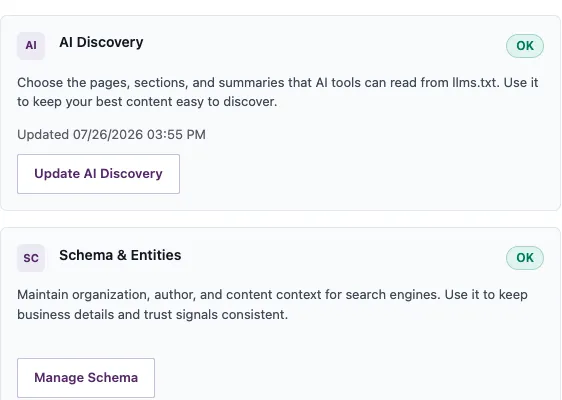
Free, no account, and nothing leaves your site.
IndexMesh AI visibility WordPress plugin at a Glance
- IndexMesh for WordPress is a free AI visibility WordPress plugin that manages AI crawler access, schema and entity accuracy, and llms.txt from inside WordPress.
- It works alongside Yoast SEO, Rank Math, All in One SEO, and SEOPress, reading each provider's public output rather than replacing it.
- It checks that robots.txt, llms.txt, and your sitemap are actually being served, not just that the settings look correct.
- It sends nothing to IndexMesh or any third party, and it makes no promise of rankings or AI citations.
- The public package has no locked paid tiers, trial limits, or licence enforcement.
Keep the SEO plugin you already use.
Most tools in this space ask you to switch platforms or to run a second one that describes your business all over again.
Keep the SEO platform you already trust. IndexMesh is not another one: it is an AI-discovery governance layer that sits around it.
- It detects the provider
- A read-only registry reports Yoast SEO, Rank Math, All in One SEO, SEOPress or plain WordPress, without loading provider code as a dependency
- It reads, and does not write
- It reads what a provider exposes publicly. It does not read private provider settings tables and never writes to another plugin's data
- It adds to the graph rather than beside it
- Schema goes through the provider's own public filters where they exist. Where a node cannot be accepted in place it carries its own identity, and the provider's Organization and Article are not repeated
When two plugins describe your business separately, the site publishes two versions of who you are. A system reading both has no way to choose between them, and a site that contradicts itself has given it a reason to doubt both.
If another plugin already generates llms.txt, the IndexMesh WordPress plugin names the owner and defers by default.
What IndexMesh does with each SEO plugin, with the evidence →
What the IndexMesh AI visibility WordPress plugin does
It gives you one place to manage what AI systems and search engines are able to read about your site, and one place to check that they can.
IndexMesh for WordPress is a free plugin that manages how AI systems and search engines read your site. It controls which AI crawlers can access your pages, keeps the schema describing your business and your authors accurate, and publishes an llms.txt file. It runs entirely on your own site, works with an existing SEO plugin or without one, and it promises no rankings and no citations. It publishes accurate signals and shows you whether they are actually being served.
AI answer engines increasingly form a view of a business before anyone visits its website. What they read is whatever the site publishes about itself, which on most sites is inconsistent, incomplete or quietly broken.
Not all AI crawlers do the same thing. Blocking the wrong one is expensive.
There is a difference between a crawler collecting training data and one fetching your page to answer a question somebody is asking right now.
The advice online is usually wrong
Most listicles treat every AI agent as one thing and tell you to block all of them. Blocking GPTBot stops OpenAI training on your content and does nothing to your Google rankings. Blocking OAI-SearchBot removes you from ChatGPT's search answers
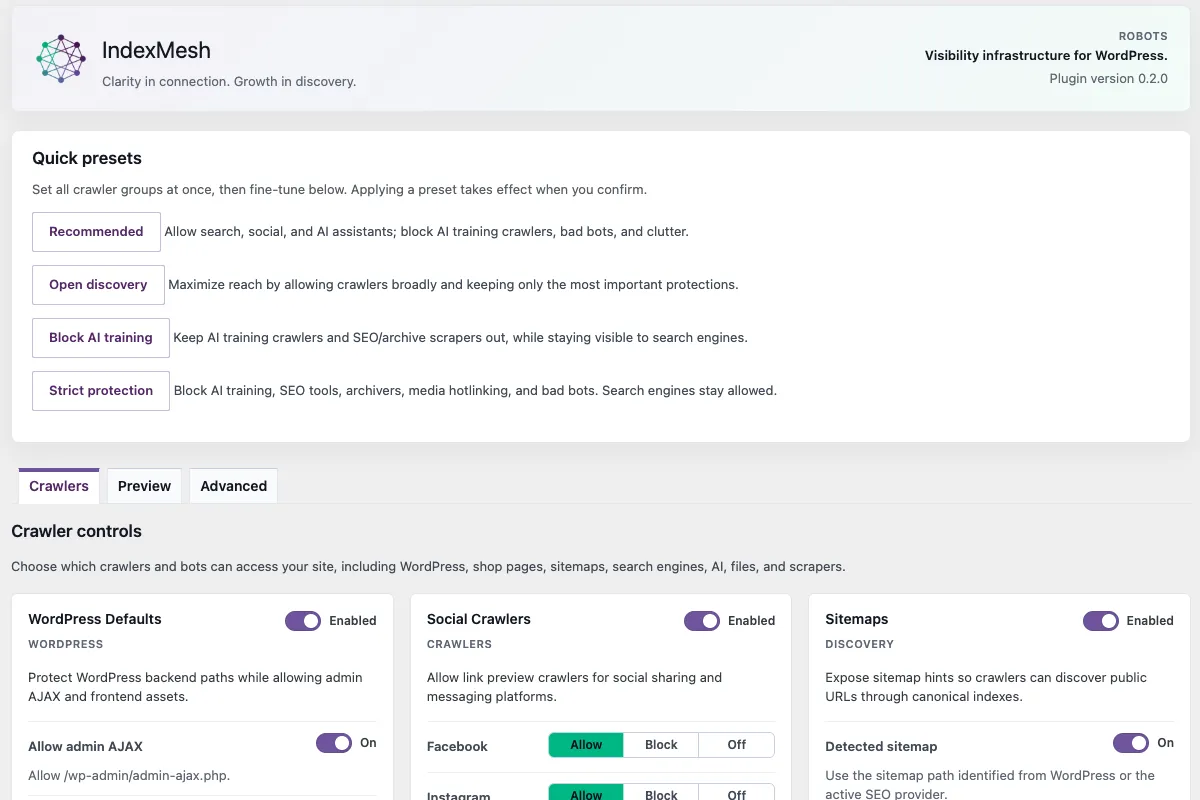
The plugin groups agents by what they do
A bundled offline taxonomy carries tiers for training, user-action, search and retrieval, and non-crawling opt-out tokens. You set a preset group or an individual Allow, Block or Off decision per agent
You see the output the site serves
The composed robots.txt from your saved settings is previewed in full. If a physical file already exists at the root, the plugin reports who owns it rather than claiming control of a route it does not serve
If the site is staging or headless, Site Access Protection blocks it from being crawled at all. It is off by default and is never applied without your confirmation.
Publishing a file and serving a file are different things.
Your settings can be perfect and your visitors can still get a 404.
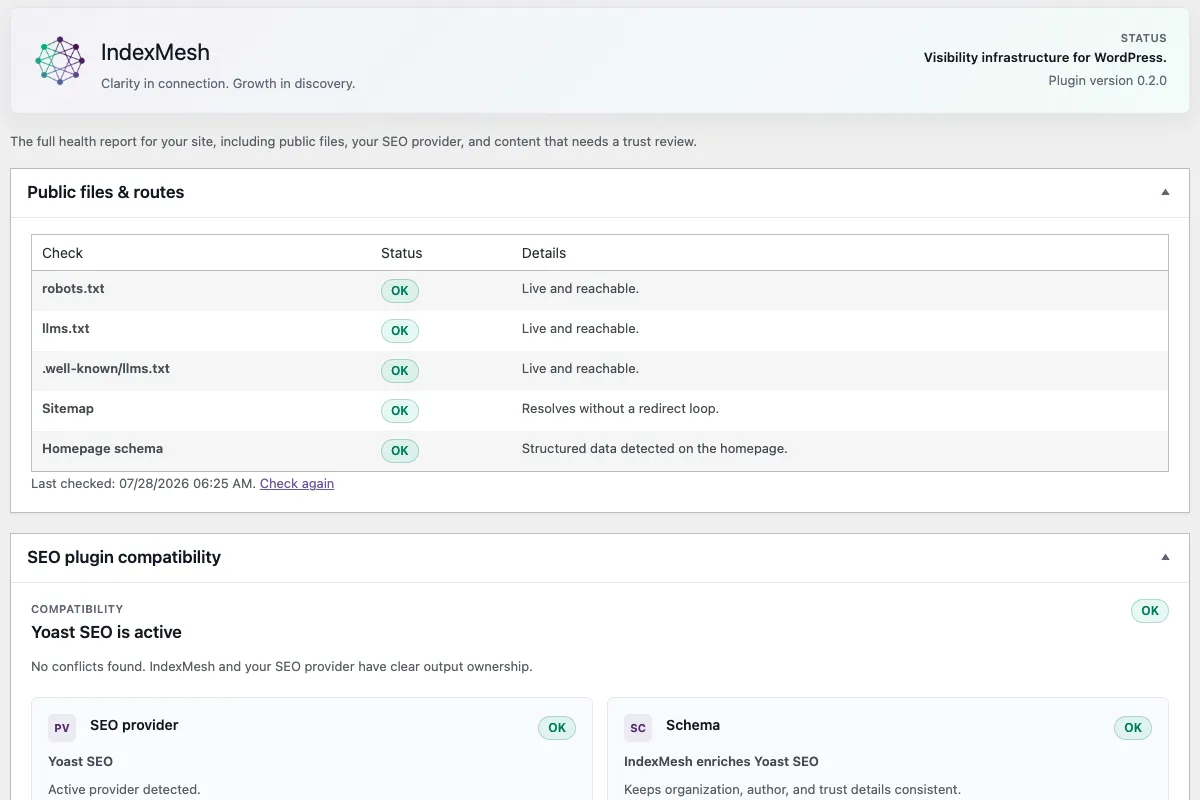
A caching layer serves an old copy. A security plugin blocks the request. Another plugin claims the same URL. A CDN does not pass through the folder. None of that changes anything inside your plugin settings, so nothing in your settings tells you. The IndexMesh WordPress plugin requests your robots.txt, your llms.txt, the .well-known mirror, your sitemap and your homepage the way a crawler would, and reports what actually came back. The sitemap check follows redirects with a bounded hop limit, so a redirect loop fails clearly instead of hanging.
Those checks also appear inside the WordPress Site Health screen you already use, so they sit where you would look anyway. They are the only outbound requests the plugin makes, and every one goes to your own site.
A check that succeeds proves the route responded. It cannot see a rule applied by your host, CDN or firewall, so one external check is still worth doing.
Tell search engines and AI systems who you actually are.
Schema is how a machine knows your business has a name, a logo, a location, founders and people who write for you.
Business identity
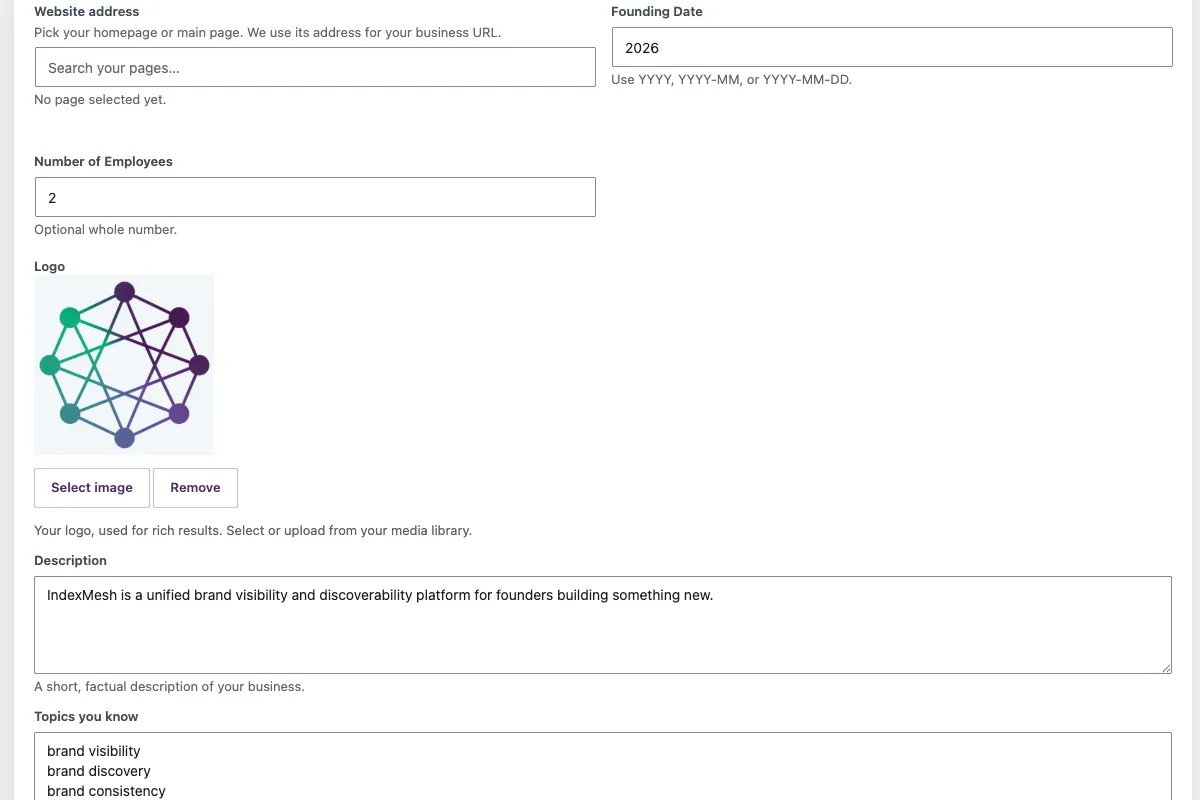
Name, logo from your media library, description, founding date, official identifiers, a founder, related businesses, physical offices with full addresses, and the areas you serve. Detected values preload into empty fields so you are correcting rather than starting from nothing
Author expertise
Headline, job title, employer, short and full bio, languages, awards, knowsAbout, profile URLs and identifiers, all on the native WordPress user profile rather than in a separate field system
One entity, not two
The test is not how many JSON-LD blocks a page has. It is whether two nodes claim to be the same organisation or the same person, and provider-aware emission is what prevents that
Where your provider exposes a public filter, the plugin enriches the graph in place. Where a node cannot be accepted, it is emitted separately with its own identity. Where ownership cannot be determined safely, it emits nothing.
A curated llms.txt, and an honest account of what it does.
llms.txt is a plain text summary of your site written for AI tools, and generating one is the easy part.
You decide what it says
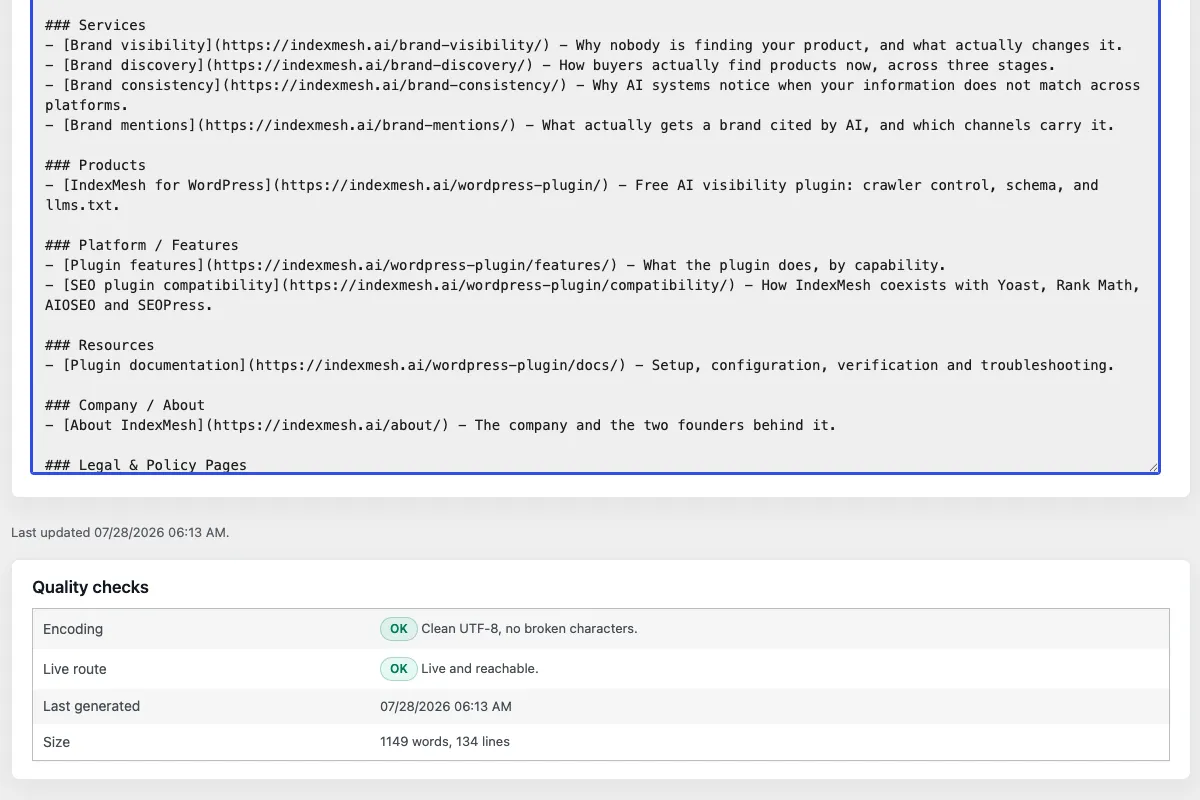
Guided tabs for site identity, core offerings, positioning, key pages, authority and AI guidance, with per-item pinning and exclusion and configurable automatic sources
You see it before it ships
A Markdown preview of the exact file, with its byte count, line count and current route state, served at /llms.txt and /.well-known/llms.txt
- You know who owns the route
- If a physical root file or a competing provider owns the surface, the plugin names the owner and defers, and takes over only after you confirm and only after backing the original up
Google has stated that Google Search does not use llms.txt. A log study across 137,210 domains found that 97% of published files received no requests at all in the period studied.
Google Search Central, "Optimizing your website for generative AI features on Google Search", llms.txt subsection added 15 June 2026. Ahrefs llms.txt study, Louise Linehan and Xibeijia Guan, published 15 June 2026, using May 2026 log data.
We ship it because it costs nothing to publish, it is accurate when we publish it, and if adoption arrives the file is already correct. We are not going to tell you it will get you cited.
Who this is for
Three kinds of site owner, wanting three different things from the same controls.
Founders and small teams
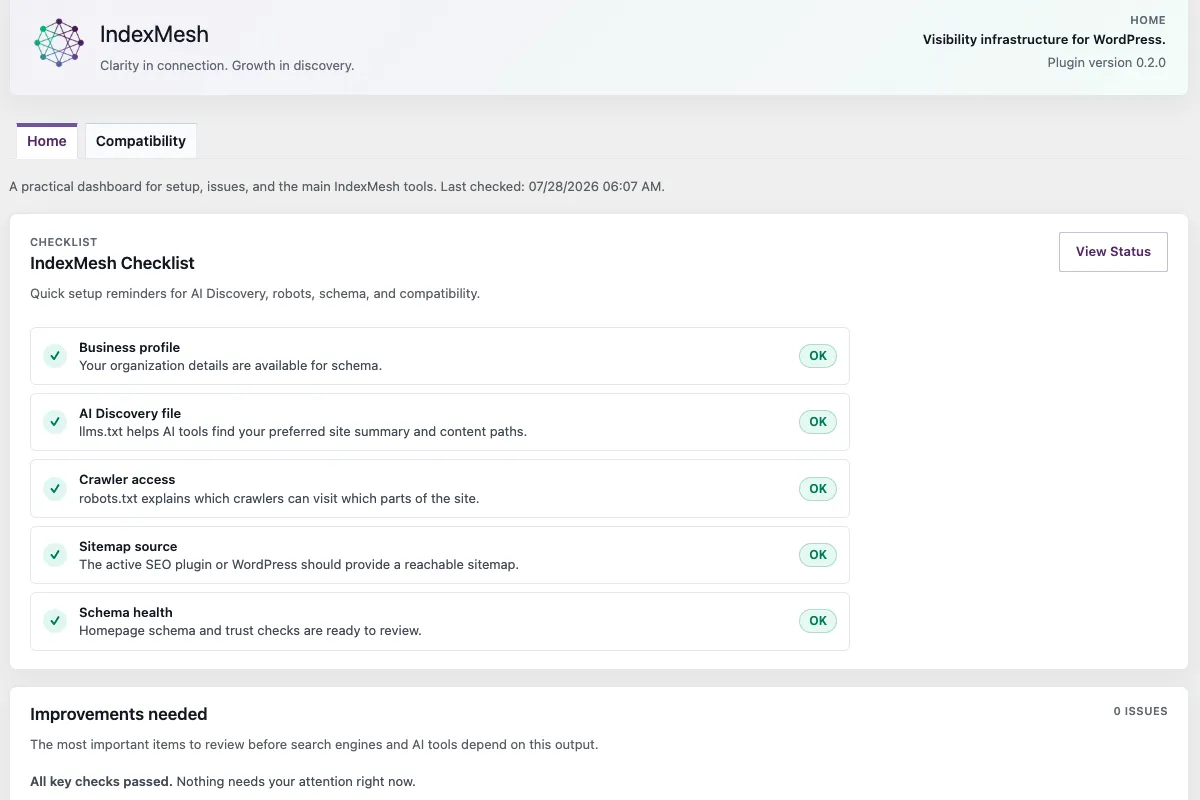
You built something real and want it found across search and AI without hiring an agency. Start with the setup wizard and the Home dashboard, which names what needs attention and links straight to the fix
Agencies and freelancers
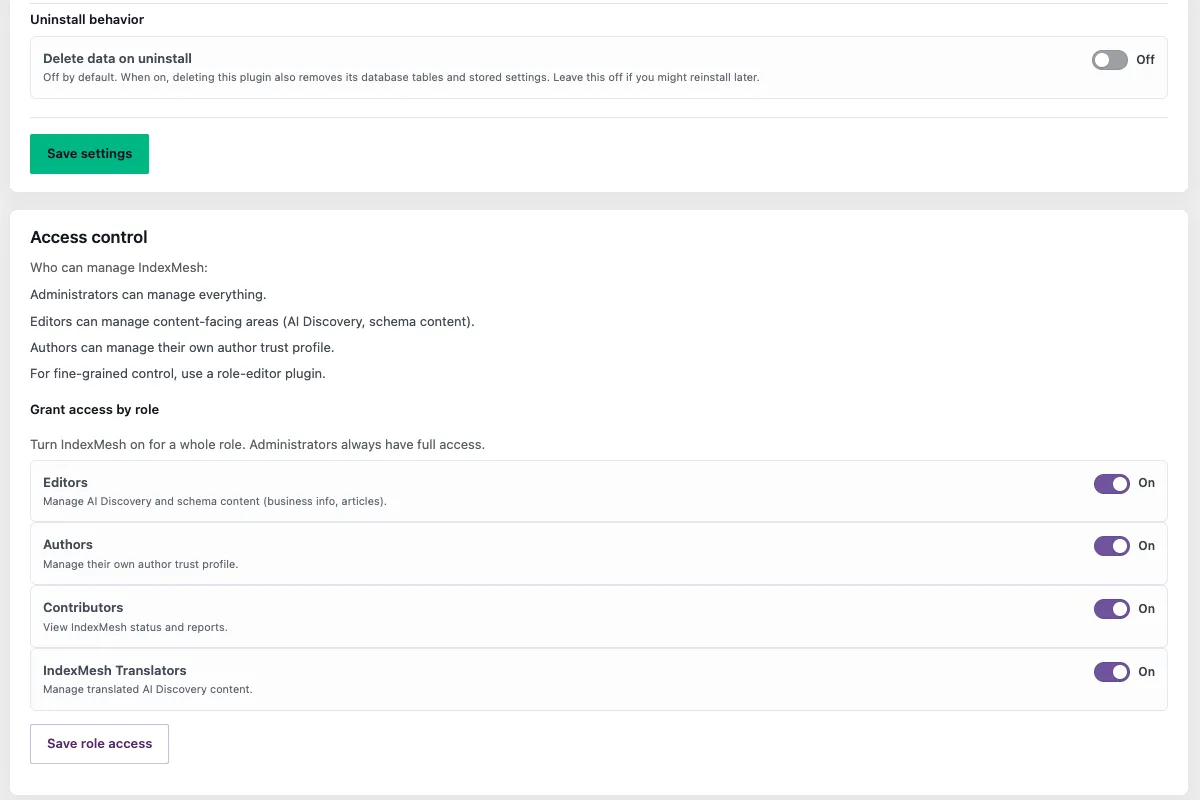
You manage client sites and need the AI layer handled cleanly beside whatever SEO plugin is installed. Granular capabilities decide who can change crawler rules, edit schema or manage author profiles, and there is a dedicated indexmesh_translator role for anyone working on content alone
Developers and technical marketers
An optional per-user Developer view exposes capability names, decision coverage, emission policy and raw output. It is off by default, so site owners get a clean product while you keep the detail. A read-only Abilities integration exposes schema diagnostics to agents
Why IndexMesh
Four commitments, each of which is checkable in the plugin rather than only stated here.
- Works with your SEO plugin, does not replace it
- Keep Yoast SEO, Rank Math, All in One SEO or SEOPress. The plugin reads your provider and enriches it, and never writes to another plugin's data
- Local first
- Built to send nothing to IndexMesh or to any third party. There is no account and no external service. The only network requests it makes are to your own site, checking that your own files respond
- Honest by design
- It publishes clean, machine-readable signals and shows you diagnostics. It does not promise rankings, crawler behaviour, citations, or how any AI provider will treat you
- Already there when you need it
- Import an existing robots.txt or llms.txt rather than starting over. Nothing is deleted that the plugin did not create, and no file it did not create is replaced without your confirmation
An AI visibility WordPress plugin free of paid tiers
The plugin described on this page is the whole plugin.
It requires no external IndexMesh account, no subscription and no hosted service. The public package contains no locked paid functionality, no trial limits, no licence enforcement and no paid module activation. Any add-on distributed separately would carry its own code; nothing on this page depends on one.
Inside the plugin
A look at the modules described above, running inside the WordPress admin.
Questions people ask
Will IndexMesh for WordPress conflict with Yoast SEO, Rank Math, AIOSEO, or SEOPress?
No. The IndexMesh WordPress plugin detects which one is active, reads its public output without writing to it, and adds to its schema graph rather than publishing a competing one. If a provider also generates llms.txt, it names the owner and defers by default.
Does IndexMesh for WordPress work without any other SEO plugin?
Yes. It is fully usable on plain WordPress, which the provider registry treats as a supported state rather than a degraded one. An SEO plugin makes the combined result richer, but nothing requires one.
Will IndexMesh for WordPress improve my rankings or get me cited by AI?
No, and anyone promising that cannot deliver it. The IndexMesh WordPress plugin gives search engines and AI systems accurate signals to work with. What those systems do with them is their decision.
Does IndexMesh for WordPress send my data anywhere?
No. It is built to send nothing to IndexMesh or any third party, and there is no account or external service involved. It does make requests to your own site, fetching your robots.txt, llms.txt, sitemap and homepage the way a crawler would, so it can confirm they are being served. Those requests never leave your domain.
Is it safe to let IndexMesh for WordPress manage my robots.txt and llms.txt files?
Yes. It manages a physical file only when you ask it to, keeps it in sync with your settings, never deletes a file it did not create, and never replaces a file it did not create without your explicit confirmation. The original is backed up first.
Can I control which AI crawlers can access my site?
Yes, individually or by group, using preset cards or per-crawler rules, with the exact robots.txt output shown on a Preview tab after you save. Crawlers are grouped by what they actually do, so you can allow AI search and retrieval agents while blocking training crawlers.
Does IndexMesh for WordPress tell me when an AI system has cited my site?
No. It exposes local, read-only user-agent matches from a bundled offline taxonomy. It stores no request logs, no IP addresses and no citation events, and a match is not proof that a rule was obeyed or that anything was cited.
Is IndexMesh for WordPress free?
Yes. There is no account, no subscription and no external service, and the package contains no locked paid functionality or trial limits.
Ready to make your site easier for AI and search to read?
Every control on this page runs on your own site, free, alongside the SEO plugin you already have.
Clarity in connection. Growth in discovery.
Get IndexMesh for WordPress release news.
IndexMesh for WordPress releases and updates only. No company or Mesh AI news. Unsubscribe in one click.
Found a bug, or want something it does not do yet?
Two routes, and which one applies depends on whether the WordPress.org listing is live.
- Before the listing is live
- Email us and a real person reads it. Bug reports and feature requests are both genuinely welcome, and the roadmap is not fixed
- Diagnostics to send with it
- Open IndexMesh > Status and copy the support report. It is a plain-text snapshot of the plugin version, the check timestamp, the active SEO provider, the sitemap path and the public-route results. Nothing is sent anywhere automatically